Desk Gadgets for Work: Useful Budget Accessories Without the Clutter
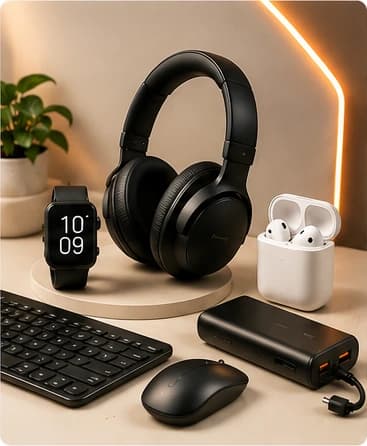
A useful desk gadget should reduce friction, not add visual clutter. Start with the problem you notice repeatedly: cable mess, poor viewing angle, limited surface space, device storage, or organization.
What is worth buying?
A worthwhile desk gadget should improve ergonomics, organization, viewing angle, cable control, or access to tools you already use. The best upgrades usually free space or reduce repeated friction rather than adding another device to manage.
- Stable stands or risers sized for your actual device.
- Cable clips and routing tools that can be repositioned.
- Small trays or organizers for items that otherwise drift across the desk.
- Lighting or powered accessories only when they solve a specific work problem.
Compare by use case before price
| Use case | Prioritize | Watch for |
|---|---|---|
| Laptop/phone stand | Weight support, viewing height, stable footprint | Blocked vents, unstable hinges, oversized bases |
| Cable management | Repositionable routing and suitable adhesive surface | Permanent placement or clips too small for your cables |
| Desk organizer | Realistic capacity and easy access | Large footprint that reduces usable work surface |
| Lighting | Glare control, placement, power source | Adding another cable without improving visibility |
Prices, specifications, availability, and promotions can change. Verify the current merchant listing before ordering.
Questions shoppers ask before buying
What desk gadgets actually improve productivity?
Accessories that reduce cable mess, improve screen positioning, organize frequently used items, or free surface area can reduce small interruptions during the workday.
Should I buy a laptop stand for a small desk?
Only after measuring the available depth and width and checking the stand's device size and weight support. A stand that consumes too much surface area can make a small desk worse.
How do I avoid desk clutter when buying gadgets?
Use a one-in, one-problem rule: every accessory should solve a specific recurring issue and have a defined place when not in use.
What to prioritize
- Choose accessories that free space or make frequently used items easier to reach. \n
- Measure available desk depth, width, and clearance before ordering. \n
- For stands, verify the device weight and dimensions they support. \n
- Favor cable-management products that can be repositioned as your setup changes. \n
- Avoid accessories that create another charging cable or permanent footprint without clear value. \n
Desk categories worth comparing
Phone stands, laptop risers, cable clips, under-desk organizers, small trays, device holders, sleeves, and simple lighting accessories can improve a workspace when they solve a specific problem.
What to avoid
Avoid novelty desk toys marketed as productivity tools, oversized organizers, unstable stands, and products whose dimensions are difficult to verify.
How we would compare options
Start with the device and use case, then compare compatibility, dimensions, materials, current specifications, return terms, and whether the accessory solves a recurring problem. For powered products, verify the supported standards and power requirements shown by the seller.
Bottom line
A better desk setup usually comes from fewer, better-positioned accessories—not more gadgets.